MP2 Viewer Playing Instructions for room interviews
These are the instructions on how to use the mp2 viewer. This player makes viewing the VLC media player files easier to watch and strings them together into one long stream of video instead of short approximate 30 minute segments.
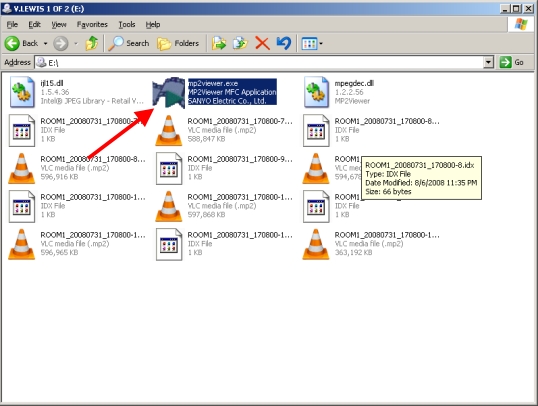
1)Click the mp2Viewer.exe file.
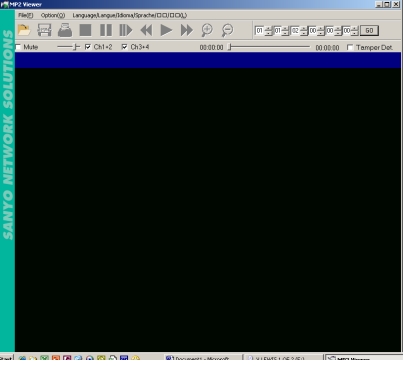
2)This is the screen that you should get when it opens.
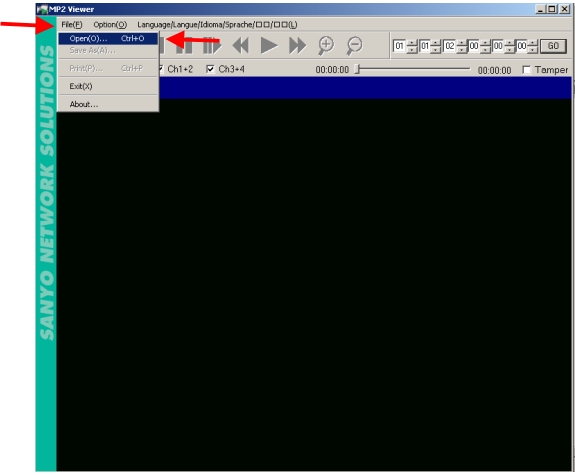
3)Click file and then open.
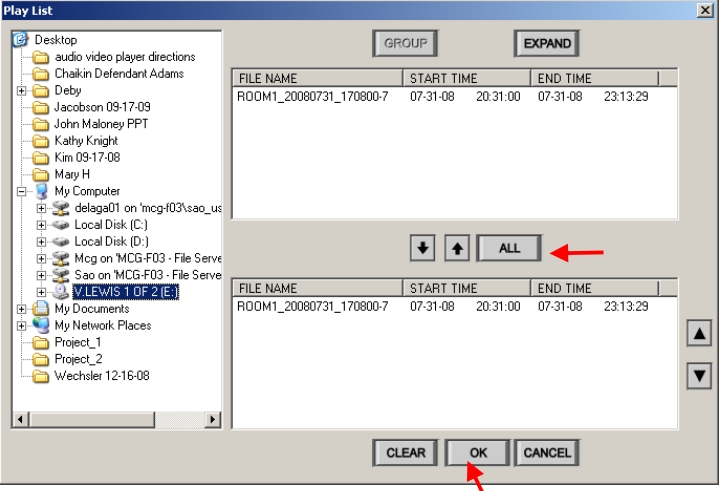
4)Find the folder that has the media files that you want to watch on the left side of the screen. Click on them and on the right side of the screen they should appear.
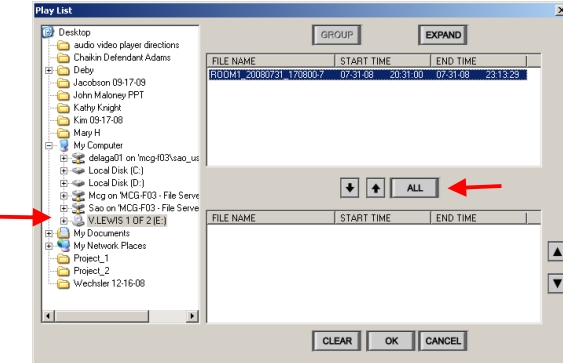
5)Click the All button and then ok . Your video should now be loaded.